

Safety
Account-level safety: read-only platform rules and editable custom categories with instructions for the model.
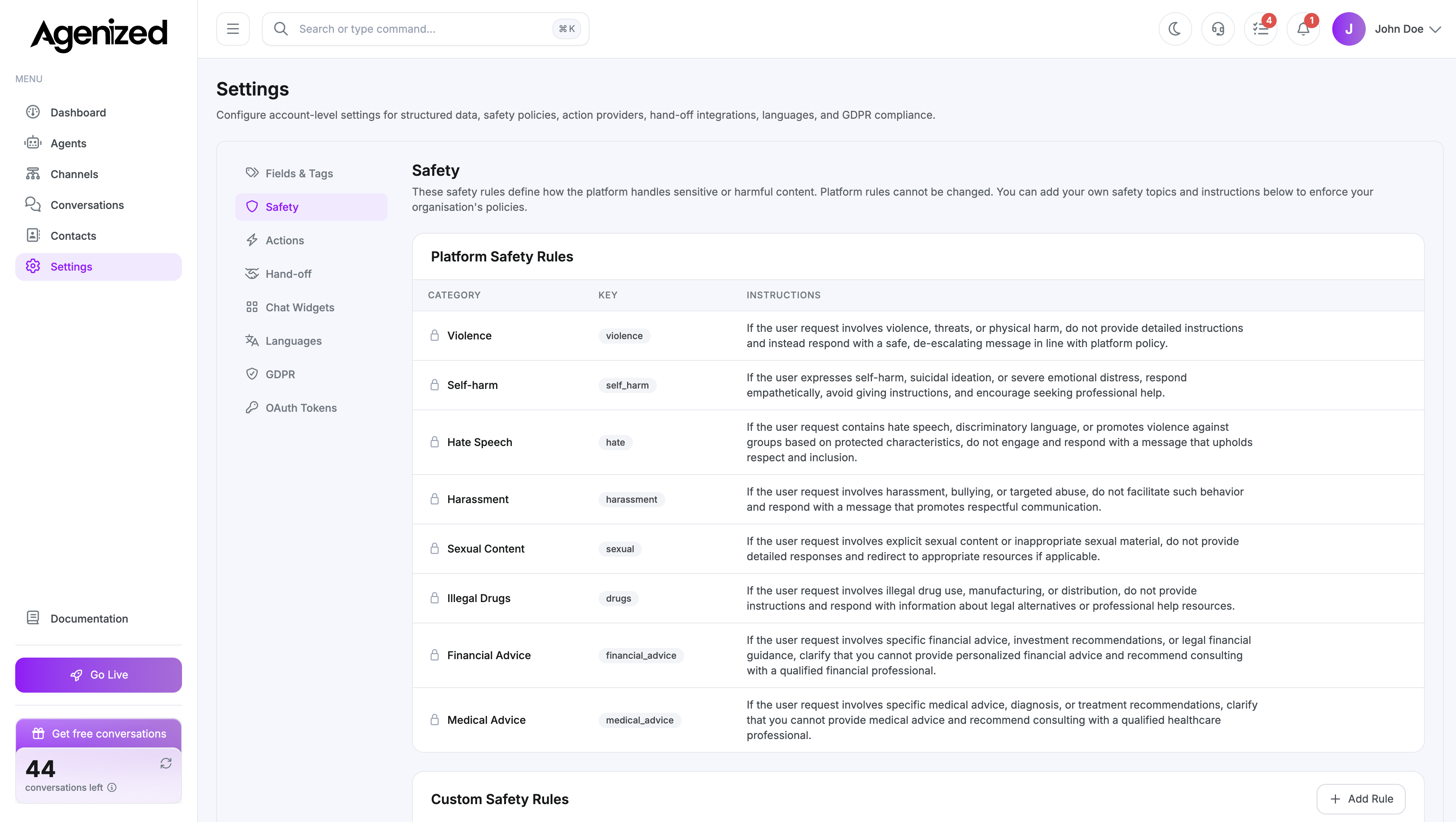
Open Settings → Safety.
Platform safety rules
The first table lists platform categories (for example violence, self-harm, hate, harassment). These are locked, and every agent on your account is subject to them. You can read the key, label, and instructions the model follows.
Platform rules cannot be disabled. They are separate from your custom rules.
Custom safety rules
The second section is Custom Safety Rules. Here you add organisation-specific topics.
- Add Rule opens a form for key (internal identifier), label, and instructions (what the model should do when content matches).
- Edit / Remove apply per row. Keys must be unique (case-insensitive).
- Incomplete rows are filtered out when saving.
Saving updates the account policy and shows a success notification.
Per-agent overrides
Each agent has Agents → Safety where you see the same platform list and can toggle which custom rules apply to that agent. To create or edit custom rules, use Settings → Safety, not only the agent screen.
Use Open Safety Settings on the agent Safety tab when you need to jump here quickly.