

Account Information
View and edit organisation details such as name, email, VAT, address, country, phone, domain, currency, and advanced metadata JSON.
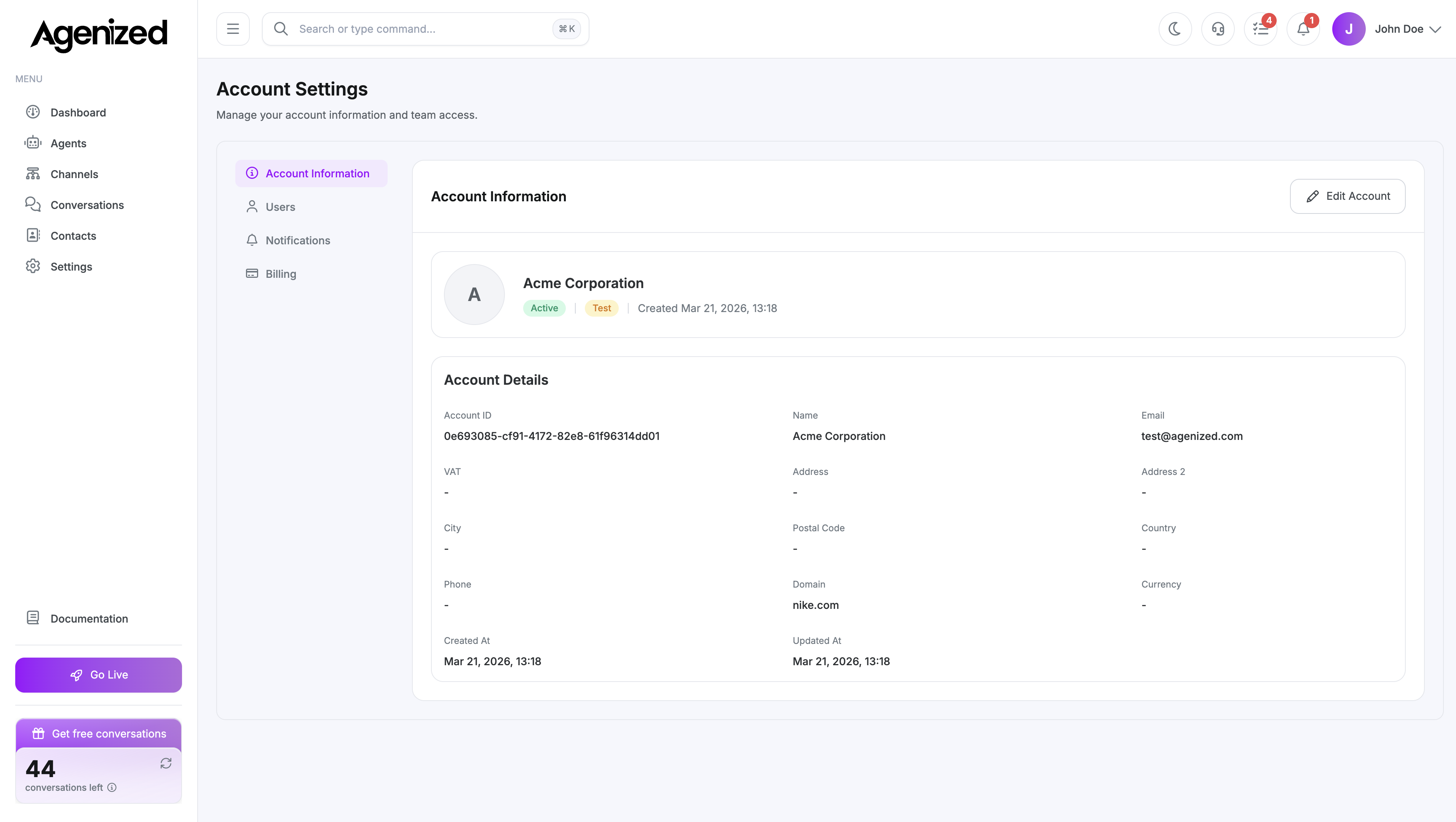
Open Account Settings → Account Information (default tab).
View mode
The page displays read-only cards for the current account, including name, billing/contact email, VAT, full address, country, phone, domain, default currency, and created timestamp. Country may show a human-readable name from the code.
Edit
Edit opens a modal where you can change the following.
- Name, email, VAT
- Address lines, city, postal code, country (dropdown)
- Phone, domain, currency
- Metadata: raw JSON merged into
account.metadata(must be valid JSON or save is rejected)
Save calls the account update API and refreshes the parent view.
Metadata is powerful, but invalid JSON blocks saving; incorrect keys can affect features that read metadata (for example notification preferences elsewhere). Prefer structured edits in dedicated tabs when they exist.
Code snippet
Some deployments show a read-only identifier or integration snippet for the account, use it only as documented in your integration guide.