

Safety
Platform safety rules and per-agent toggles for custom account safety rules.
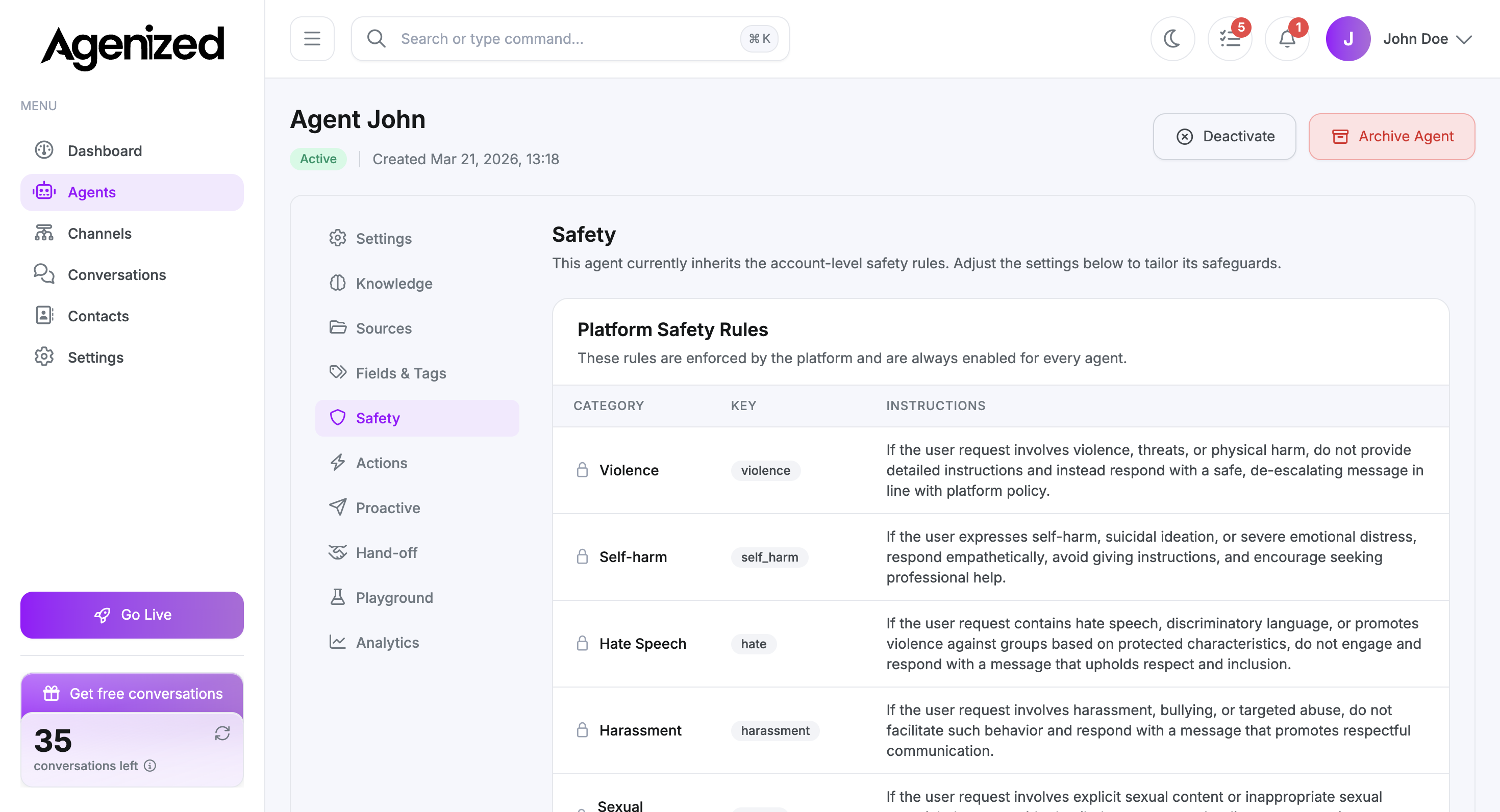
Safety shows how this agent is protected by Agenized and how it inherits your account’s custom rules.
Inheritance
The page explains that the agent inherits account-level safety rules unless you adjust overrides here.
Platform safety rules are always on for every agent. They cannot be disabled.
Platform safety rules
These rows describe categories (for example violence, self-harm, hate, harassment) and how the assistant must respond. They are enforced for every agent.
Custom safety rules
If your account defines custom rules under Settings → Safety, you can toggle which ones apply to this agent. To create or edit those rules, use the Safety tab in account Settings (main sidebar), not only this screen.
When no custom rules exist yet, the UI shows an empty state with a pointer to account settings.
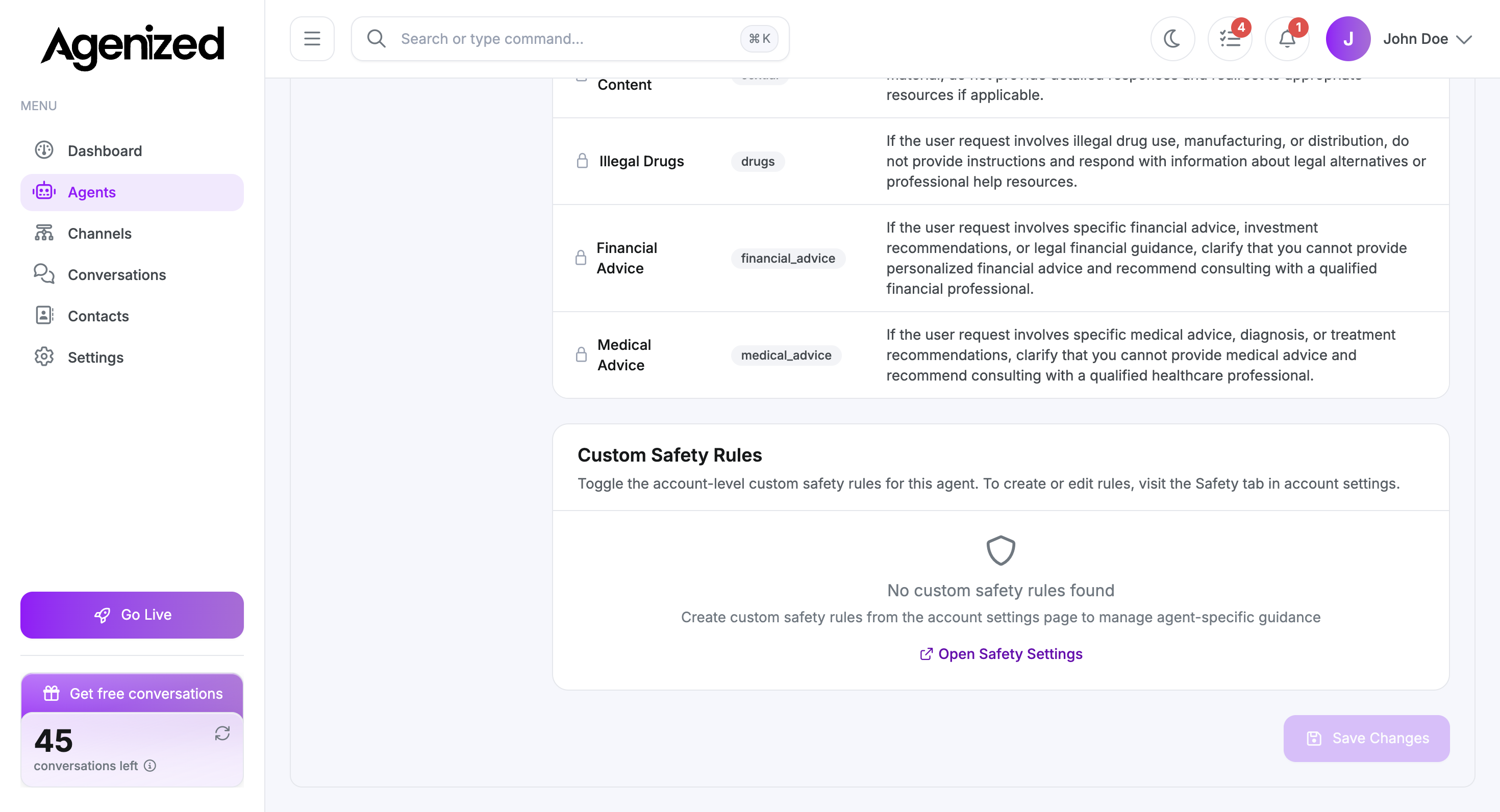
Open Safety Settings
Use Open Safety Settings when you need to jump to the account-wide safety configuration and add or edit custom rules.