

Actions
Connect commerce and HTTP providers so the agent can look up orders, products, or call your APIs.
Actions configure integrations this agent may invoke during a conversation (for example Shopify order lookup or a custom REST call).
Account-wide connections and provider reference material live under Settings → Actions.
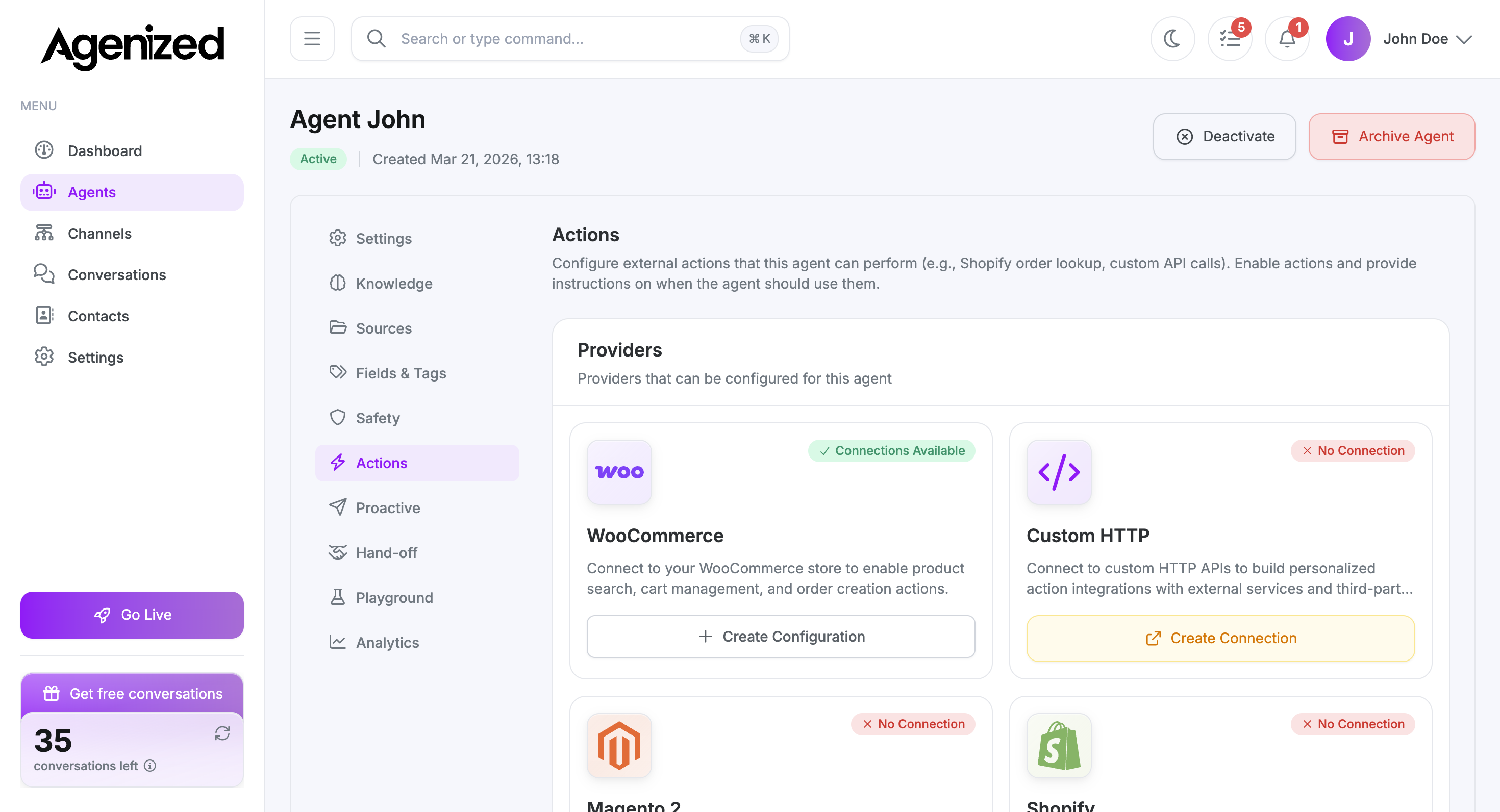
Providers
Each card is a provider (Shopify, WooCommerce, Magento 2, Custom HTTP, and others your workspace enables). Status badges show whether a connection exists (Connections Available, No Connection, and similar).
Create configuration or connection
-
Use Create Configuration or Create Connection on a card to add credentials and scopes the agent needs.
-
Follow the provider’s wizard; you can have different connections per agent where the product allows it.
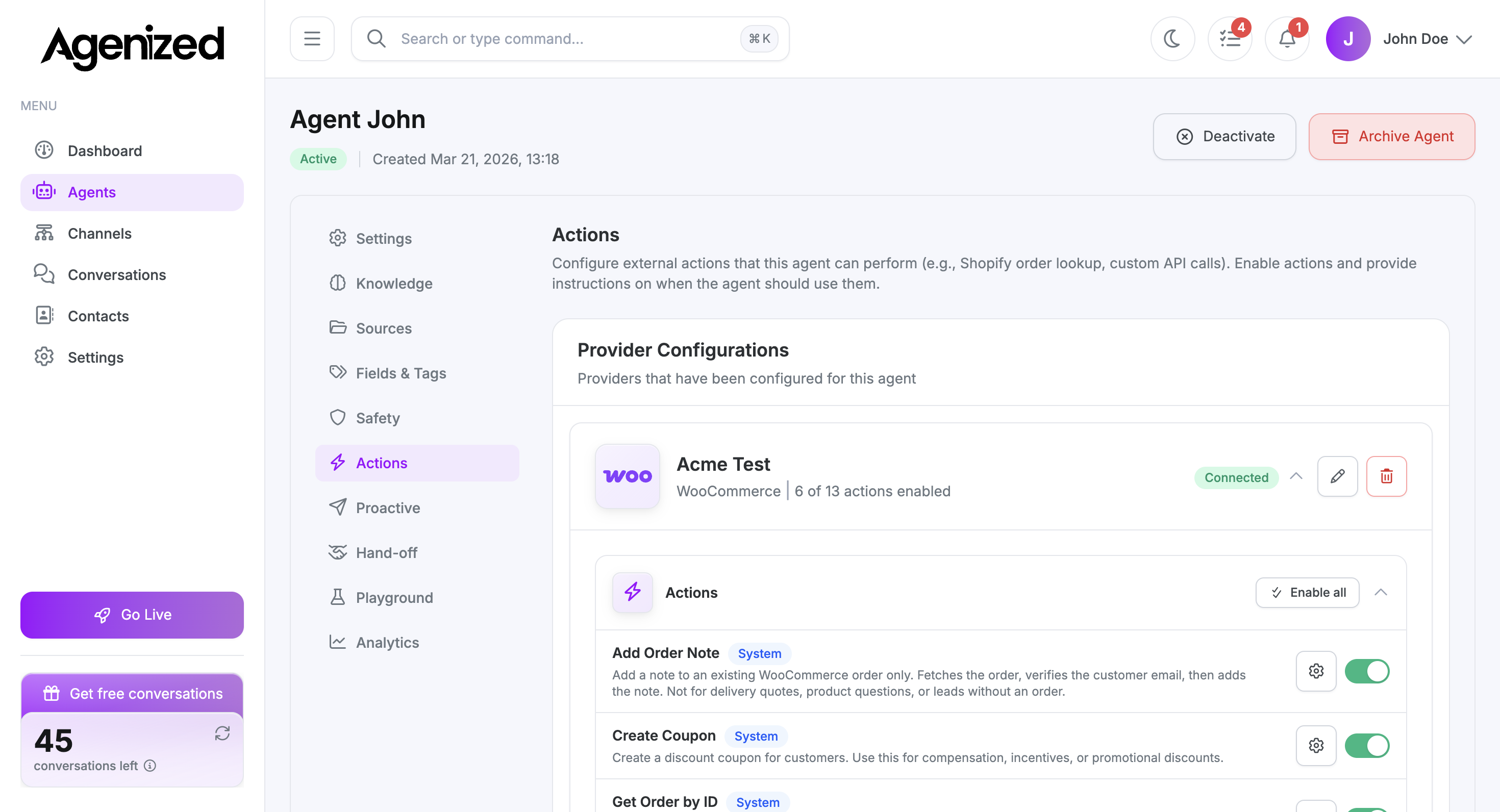
Expand a provider to manage actions
After a provider is configured for this agent, open its row to see the Actions list. Each line is a callable capability (for example order lookup or cart updates). Use the toggles to enable or disable specific actions, or Enable all when you want the full set. The gear control opens per-action configuration where the product supports it.
Try it in Playground
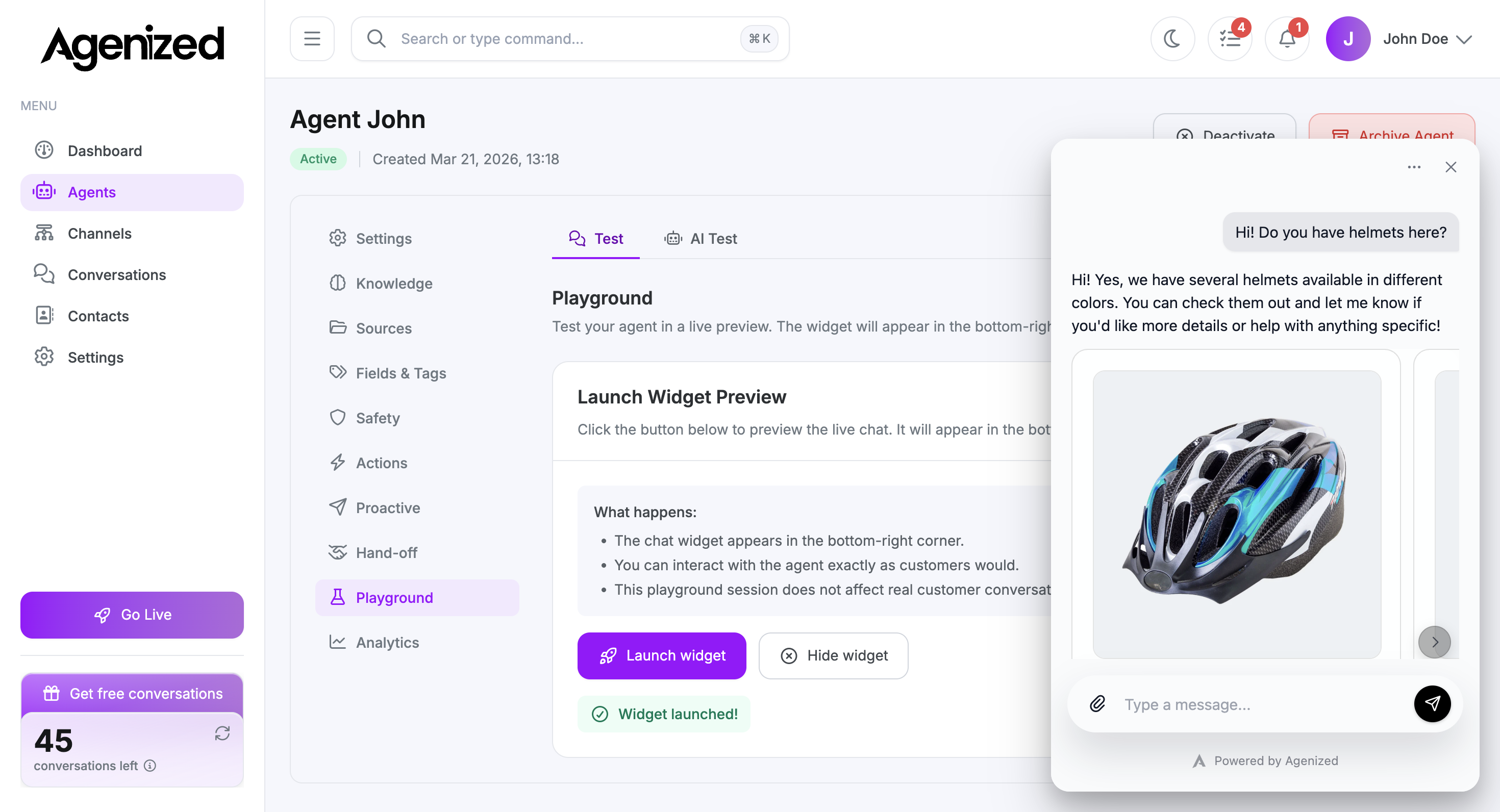
On Playground, launch the widget and ask for something that should trigger a store action (for example product search). When the model calls the action, you may see structured output in the thread, such as product cards with images, alongside the assistant’s reply.
Instructions in Settings
Tell the agent when to use an action in Settings → System instructions (for example “check order status only after the shopper gives an email or order number”). Actions are powerful; narrow instructions reduce mistaken calls.
Security
Store secrets only through the official connection UI. Rotate keys if staff leave or a store is migrated.