

GDPR
Privacy notice text for the chat widget, optional opt-in, retention windows, and whether to remember customers across sessions and channels.
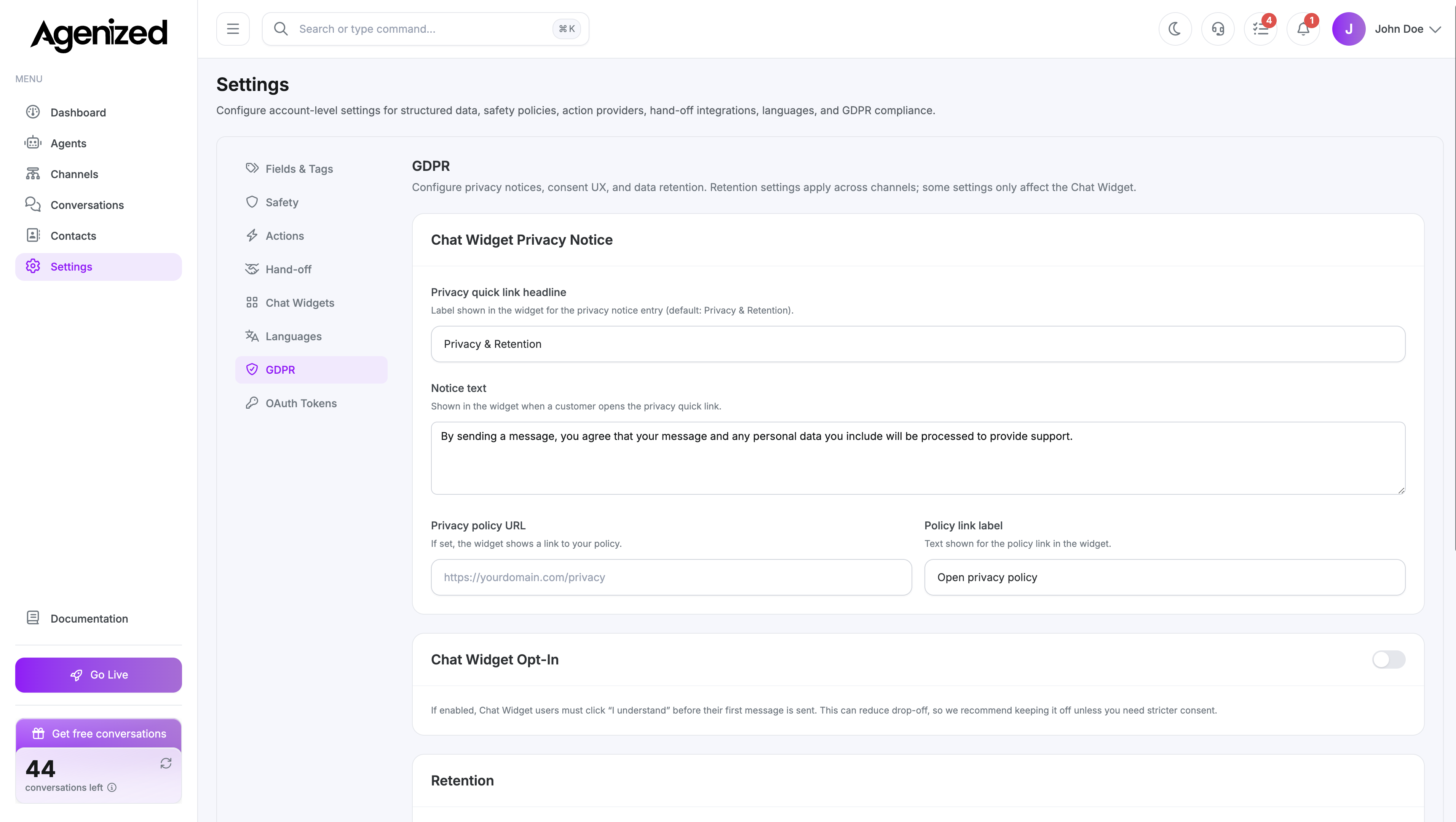
Open Settings → GDPR.
The page explains that some options apply across channels, while notice and opt-in copy primarily affects the Chat Widget.
Chat Widget privacy notice
- Notice text: Shown in the widget under a “Privacy & retention” quick link.
- Privacy policy URL: If set, the widget shows a link to your policy.
- Policy link label: Text for that link (for example “Open privacy policy”).
Defaults can be seeded from language-aware defaults when fields are empty.
Chat Widget opt-in
Toggle opt-in so visitors must confirm before their first message is sent. When enabled, configure headline, body text, and button label. The in-app copy notes that strict opt-in can increase drop-off; enable only when you need stronger consent UX.
Retention
- Message retention (days): After this period, message content is replaced with a redacted placeholder (applies across channels). Values are clamped to a safe range in the UI.
- Contact PII retention (days): After inactivity, contact email, phone, and name are removed (also across channels).
Remember customers
Choose Yes or No:
- Yes: Store identifiers to recognise returning customers and continue threads when possible (visitor IDs, email, Messenger IDs, etc.).
- No: Avoid linking customers across sessions/channels (stronger privacy, less continuity).
This interacts with visitor ID mode (hash vs none) in the saved metadata.
Save
Save GDPR Settings writes metadata.privacy and metadata.retention on the account and reloads auth context.