

Overview
What agents are in Agenized, how they relate to channels and conversations, and how to open an agent from the list.
What is an agent?
An agent is an AI assistant that chats with your customers. Each agent has its own instructions, knowledge, safety rules, and optional connections to your store or tools. You might use one agent for sales and another for support, or separate agents per brand or language.
Agents are the brains behind Conversations. Channels (such as chat widgets) route visitor traffic to an agent so the right assistant answers in the right context.
Agents list
Open Agents in the main menu to see every agent for the current account. Each card shows the agent name, description, status, and quick actions.
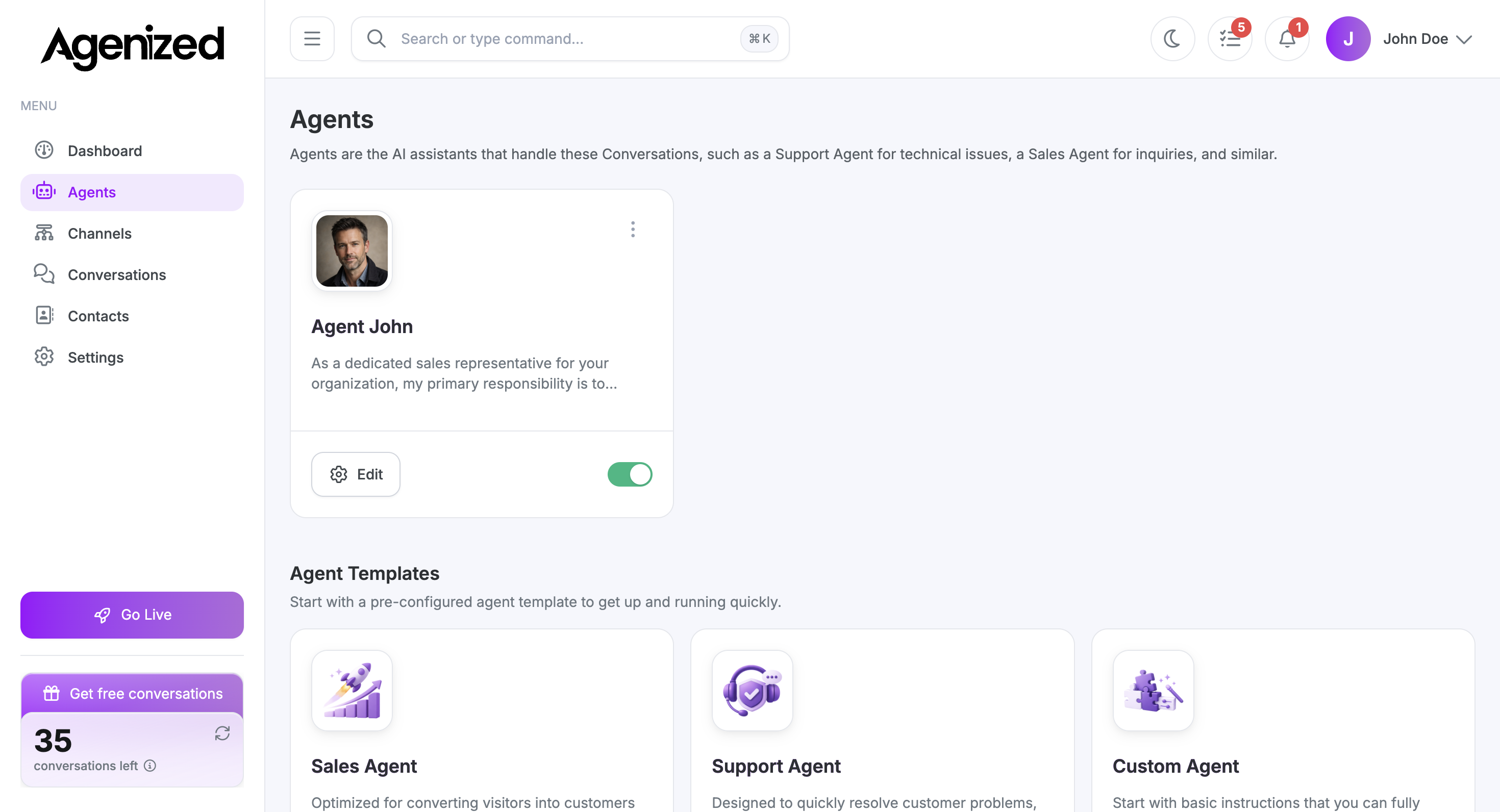
From here you can:
-
Edit (gear button) to open that agent’s full configuration.
-
Use the toggle to activate or deactivate the agent without deleting it.
-
Use the menu on the card for options such as archive.
Agent templates
Below your agents, Agent templates help you create a new agent with a sensible starting point, for example Sales Agent, Support Agent, or Custom Agent. Choose Create on a template to open the creation flow with pre-filled instructions you can adjust later.
From zero to editing
Open Agents
In the main menu, go to Agents for your account’s list and templates.
Create or pick an agent
Start from a template or open an existing agent card.
Edit configuration
Click Edit (gear) to open the detail page with Settings, Knowledge, Corrections, Playground, and the rest of the tabs.
Open an agent’s settings
Click Edit on an agent card to open its detail page. The left column lists sections: Settings, Knowledge, Corrections, Sources, Fields & Tags, Safety, Actions, Proactive, Hand-off, Playground, and Analytics. Your place in this list is saved in the URL (hash), so you can bookmark a specific tab.
Next steps
Configure the agent starting with Settings (name, model, instructions), then enrich Knowledge and Sources. Use Playground to test before customers see the widget on your site.